> ## Documentation Index
> Fetch the complete documentation index at: https://forgetwork.mintlify.site/llms.txt
> Use this file to discover all available pages before exploring further.
# 📝 Last Time
> Yesterday's results, today's head start
 ## What is this?
Starting a new day from zero is rough. Last Time greets you with proof
of what you actually did.
## How does it work?
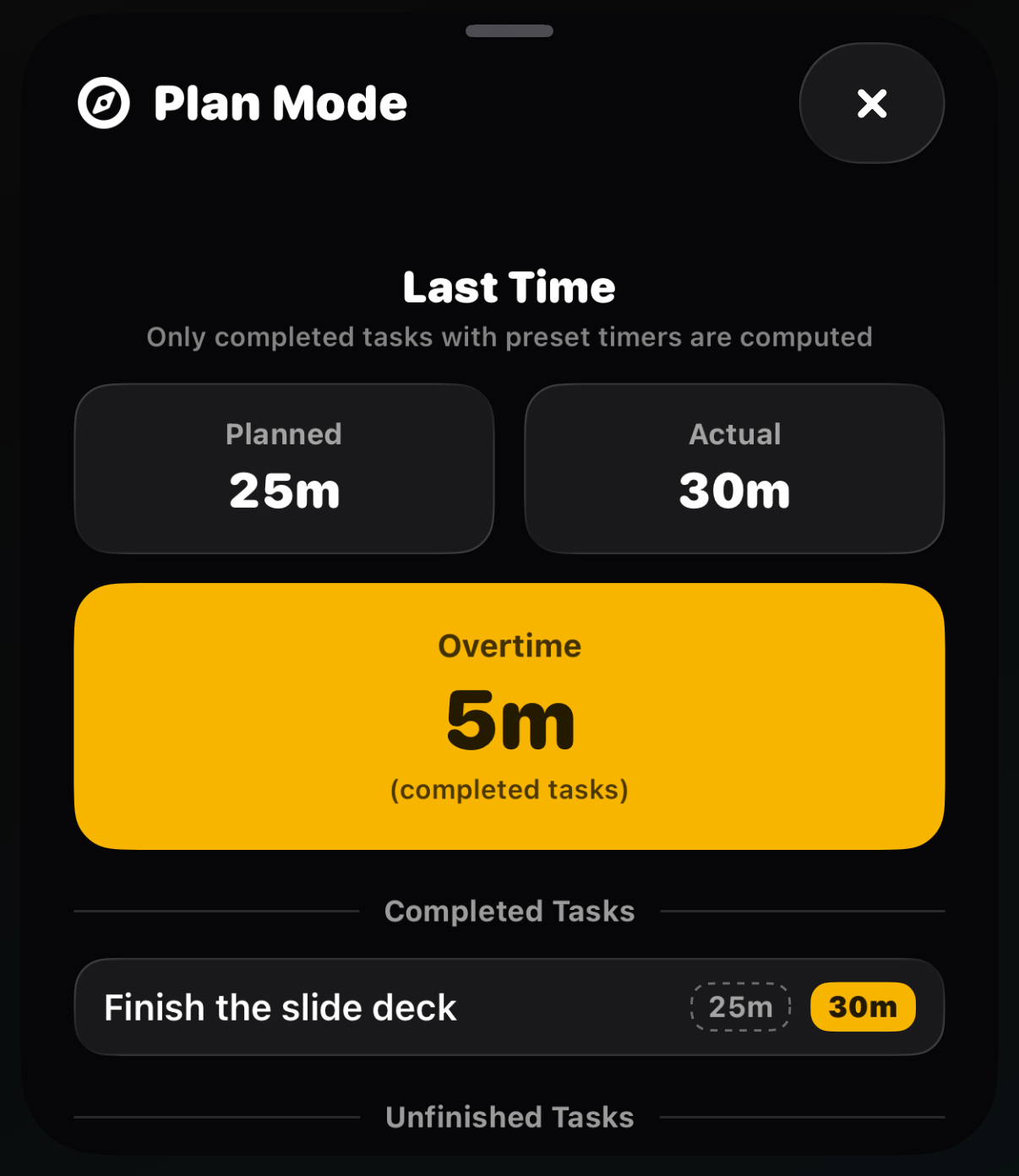
The **Last Time** panel appears when you open Plan Mode in the morning
and while you [plan your next day](/ios/wrap-day). It shows:
* **Planned vs Actual**: the time you scheduled against the time you
really spent
* **Time Saved** when you beat your estimates, or **Overtime** when a
task ran long (no judgment, just data)
* Your completed tasks, and any that went unfinished
Watching your estimates get sharper over time is one of the quiet
superpowers of timeboxing.
Only completed tasks with preset timers count. [Breaks](/ios/breaks)
and tasks moved to Later stay out of the math.
This documentation is built and hosted on [Mintlify](https://mintlify.com), a developer documentation platform.
## What is this?
Starting a new day from zero is rough. Last Time greets you with proof
of what you actually did.
## How does it work?
The **Last Time** panel appears when you open Plan Mode in the morning
and while you [plan your next day](/ios/wrap-day). It shows:
* **Planned vs Actual**: the time you scheduled against the time you
really spent
* **Time Saved** when you beat your estimates, or **Overtime** when a
task ran long (no judgment, just data)
* Your completed tasks, and any that went unfinished
Watching your estimates get sharper over time is one of the quiet
superpowers of timeboxing.
Only completed tasks with preset timers count. [Breaks](/ios/breaks)
and tasks moved to Later stay out of the math.
This documentation is built and hosted on [Mintlify](https://mintlify.com), a developer documentation platform.