> ## Documentation Index
> Fetch the complete documentation index at: https://forgetwork.mintlify.site/llms.txt
> Use this file to discover all available pages before exploring further.
# ✏️ Tasks List
> Manage your tasks with ease
 ## Overview
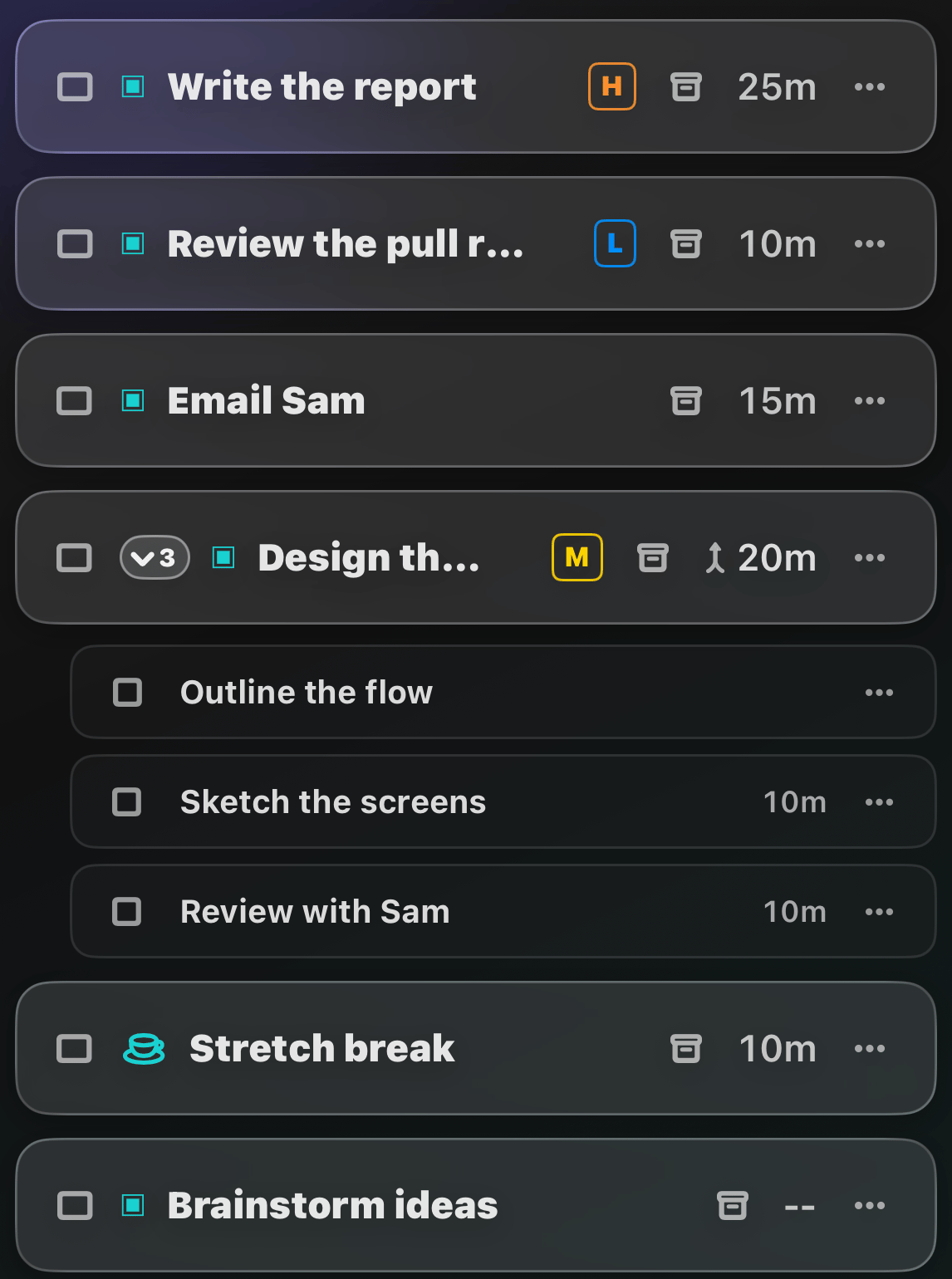
The Tasks tab is home base: everything you're doing today, in the
order you want to do it.
## Complete a task
Tap the checkbox. Tap it again to redo a completed task.
## Open a task's details
Swipe a task to the **left** to open its
[Task Details](/ios/task-details).
## Delete a task
Swipe a task to the **right** until the trash button appears.
## Reorder tasks
Press and hold a task, then drag it where you want it.
## Break, Repeat, and Later
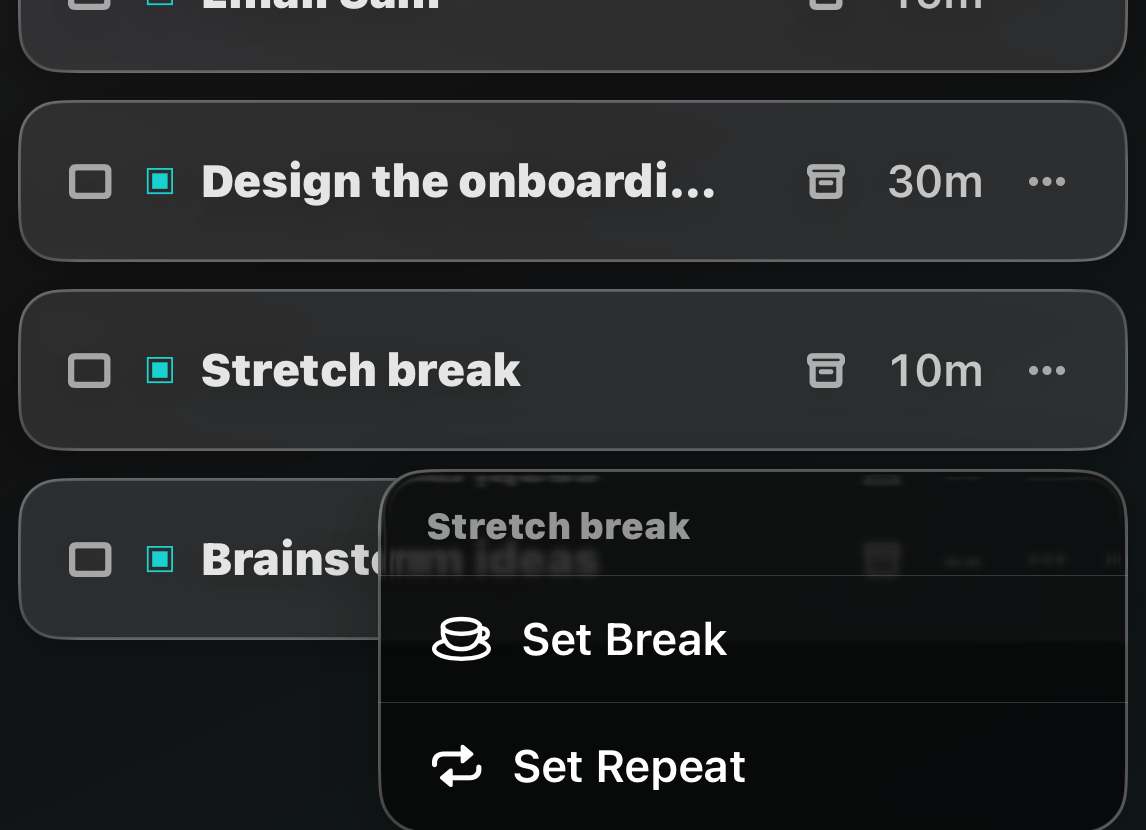
Tap the **⋯** button on a task to mark it as a
[break](/ios/breaks) or set it to **Repeat** every day.
## Overview
The Tasks tab is home base: everything you're doing today, in the
order you want to do it.
## Complete a task
Tap the checkbox. Tap it again to redo a completed task.
## Open a task's details
Swipe a task to the **left** to open its
[Task Details](/ios/task-details).
## Delete a task
Swipe a task to the **right** until the trash button appears.
## Reorder tasks
Press and hold a task, then drag it where you want it.
## Break, Repeat, and Later
Tap the **⋯** button on a task to mark it as a
[break](/ios/breaks) or set it to **Repeat** every day.
 Not today? The tray button tucks a task into the **Later** section at
the bottom of your list, out of the way but not forgotten.
The list locks while a [focus session](/ios/focus-time) is running,
and drag-to-reorder pauses while a
[filter or sort](/ios/filter-sort) is active.
This documentation is built and hosted on [Mintlify](https://mintlify.com), a developer documentation platform.
Not today? The tray button tucks a task into the **Later** section at
the bottom of your list, out of the way but not forgotten.
The list locks while a [focus session](/ios/focus-time) is running,
and drag-to-reorder pauses while a
[filter or sort](/ios/filter-sort) is active.
This documentation is built and hosted on [Mintlify](https://mintlify.com), a developer documentation platform.