> ## Documentation Index
> Fetch the complete documentation index at: https://forgetwork.mintlify.site/llms.txt
> Use this file to discover all available pages before exploring further.
# 🔒 Lock Screen & StandBy
> Glanceable focus, even when locked
 ## On the Lock Screen
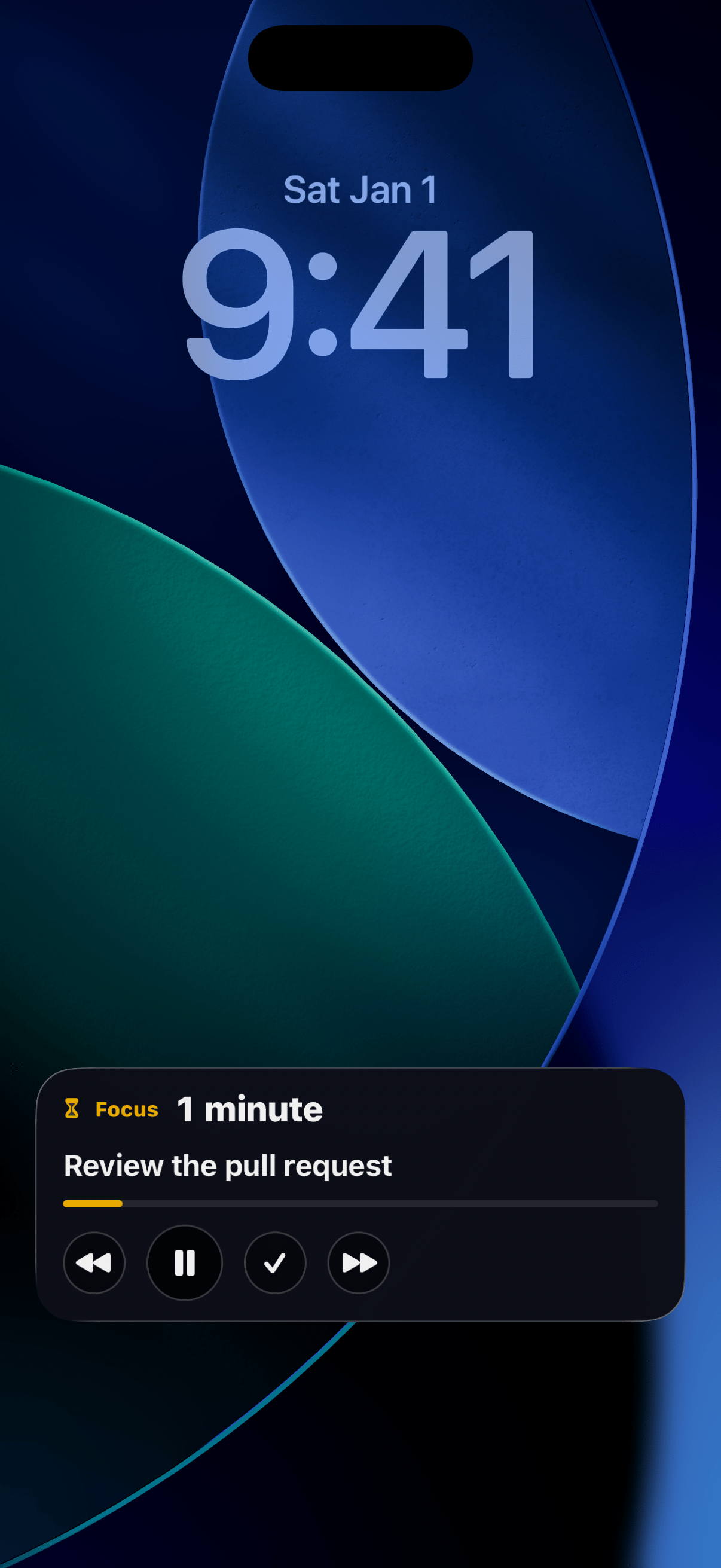
While a [focus session](/ios/focus-time) runs, a live card sits on
your Lock Screen with the task, the elapsed time, and the same
controls as the [Dynamic Island](/ios/dynamic-island). Check your
progress without ever unlocking.
Both [widgets](/ios/widgets) also come in Lock Screen sizes: a
circular gauge, a rectangle with your timer or task count, and a
one-line inline version above the clock. Add them by pressing and
holding your Lock Screen, then **Customize**.
## StandBy
Charge your iPhone on its side and the Focus widget becomes a desk
timer: just the ticking session, readable from across the room.
## Keeping task names private
Your Lock Screen is visible to anyone who picks up your phone. If
your task names are nobody's business, open
[Settings](/ios/settings) and set **Task names on Lock Screen** to
**Hide**.
## On the Lock Screen
While a [focus session](/ios/focus-time) runs, a live card sits on
your Lock Screen with the task, the elapsed time, and the same
controls as the [Dynamic Island](/ios/dynamic-island). Check your
progress without ever unlocking.
Both [widgets](/ios/widgets) also come in Lock Screen sizes: a
circular gauge, a rectangle with your timer or task count, and a
one-line inline version above the clock. Add them by pressing and
holding your Lock Screen, then **Customize**.
## StandBy
Charge your iPhone on its side and the Focus widget becomes a desk
timer: just the ticking session, readable from across the room.
## Keeping task names private
Your Lock Screen is visible to anyone who picks up your phone. If
your task names are nobody's business, open
[Settings](/ios/settings) and set **Task names on Lock Screen** to
**Hide**.
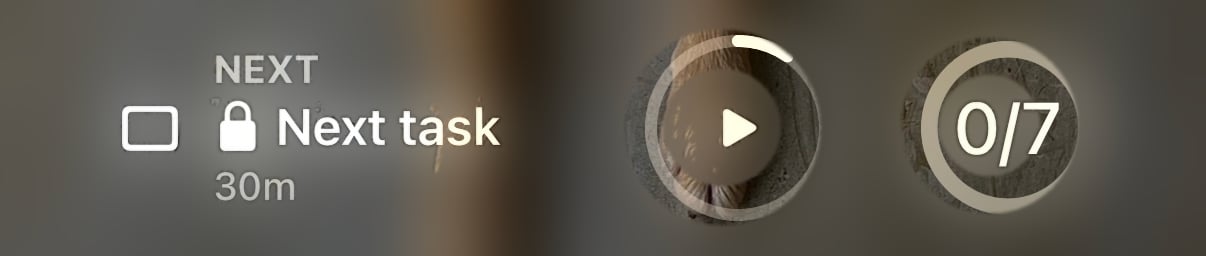 With Hide on, your Lock Screen widgets and StandBy swap your task
names for a small lock and a generic label. Timers, counts, and
progress always stay visible, so the glance still works.
This documentation is built and hosted on [Mintlify](https://mintlify.com), a developer documentation platform.
With Hide on, your Lock Screen widgets and StandBy swap your task
names for a small lock and a generic label. Timers, counts, and
progress always stay visible, so the glance still works.
This documentation is built and hosted on [Mintlify](https://mintlify.com), a developer documentation platform.