> ## Documentation Index
> Fetch the complete documentation index at: https://forgetwork.mintlify.site/llms.txt
> Use this file to discover all available pages before exploring further.
# 🚩 Priority
> Mark what matters most
 ## What is this?
Not every task deserves the same energy.
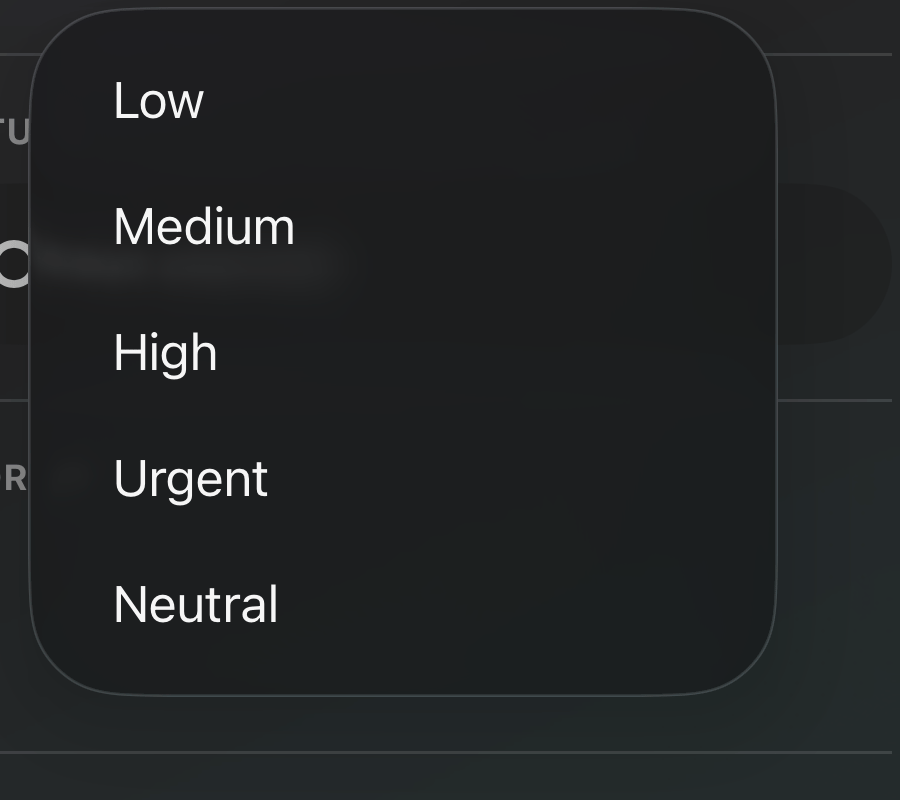
Priority lets you flag each task as **Low**, **Medium**, **High**, or
**Urgent**, or leave it **Neutral**, so the important stuff stands out
at a glance.
## How does it work?
Open a task's [details](/ios/task-details) and pick a priority.
## What is this?
Not every task deserves the same energy.
Priority lets you flag each task as **Low**, **Medium**, **High**, or
**Urgent**, or leave it **Neutral**, so the important stuff stands out
at a glance.
## How does it work?
Open a task's [details](/ios/task-details) and pick a priority.
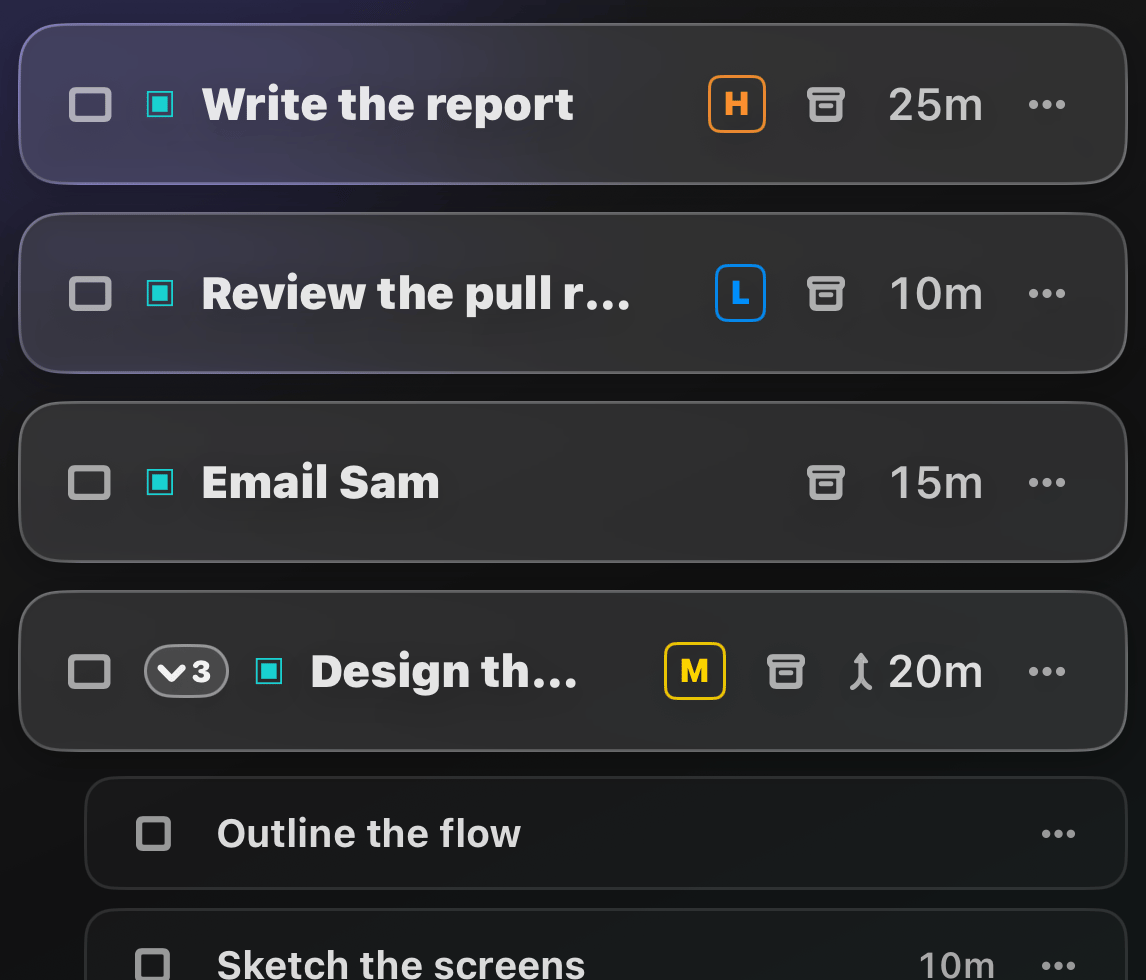
 The task then shows a small colored letter chip in your list, so you
can spot your priorities without opening anything.
You can also [sort and filter](/ios/filter-sort) your list by
priority.
This documentation is built and hosted on [Mintlify](https://mintlify.com), a developer documentation platform.
The task then shows a small colored letter chip in your list, so you
can spot your priorities without opening anything.
You can also [sort and filter](/ios/filter-sort) your list by
priority.
This documentation is built and hosted on [Mintlify](https://mintlify.com), a developer documentation platform.