> ## Documentation Index
> Fetch the complete documentation index at: https://forgetwork.mintlify.site/llms.txt
> Use this file to discover all available pages before exploring further.
# ➕ Quick Add
> Capture a task before it slips away
 ## What is this?
ADHD brains never stop. The next thing to do shows up while you're
mid-task, and if you don't catch it, it's gone.
Quick Add lets you capture it in seconds, without losing your place.
## How does it work?
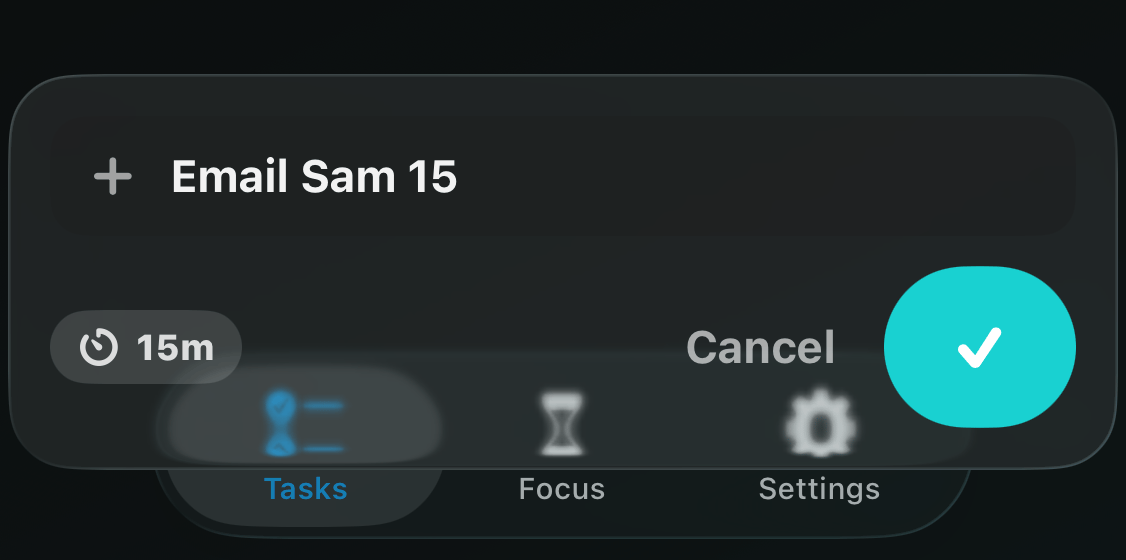
Tap the **+** button at the top of your list. A small composer floats
up above the keyboard, right over your tasks.
Type the task name and tap the checkmark. Done.
## Set a timer as you type
End the task name with a number and it becomes the timer, in minutes.
Type "Email Sam 15" and you get an **Email Sam** task with a 15-minute
[timer](/ios/timer). You'll see the timer chip appear live while you
type.
Skip the number and the task gets your **Default Task Duration**
from [Settings](/ios/settings) instead.
This documentation is built and hosted on [Mintlify](https://mintlify.com), a developer documentation platform.
## What is this?
ADHD brains never stop. The next thing to do shows up while you're
mid-task, and if you don't catch it, it's gone.
Quick Add lets you capture it in seconds, without losing your place.
## How does it work?
Tap the **+** button at the top of your list. A small composer floats
up above the keyboard, right over your tasks.
Type the task name and tap the checkmark. Done.
## Set a timer as you type
End the task name with a number and it becomes the timer, in minutes.
Type "Email Sam 15" and you get an **Email Sam** task with a 15-minute
[timer](/ios/timer). You'll see the timer chip appear live while you
type.
Skip the number and the task gets your **Default Task Duration**
from [Settings](/ios/settings) instead.
This documentation is built and hosted on [Mintlify](https://mintlify.com), a developer documentation platform.