> ## Documentation Index
> Fetch the complete documentation index at: https://forgetwork.mintlify.site/llms.txt
> Use this file to discover all available pages before exploring further.
# 🧩 Widgets
> Your tasks and focus, right on the Home Screen
 ## What is this?
The less you have to open the app, the more you actually use it.
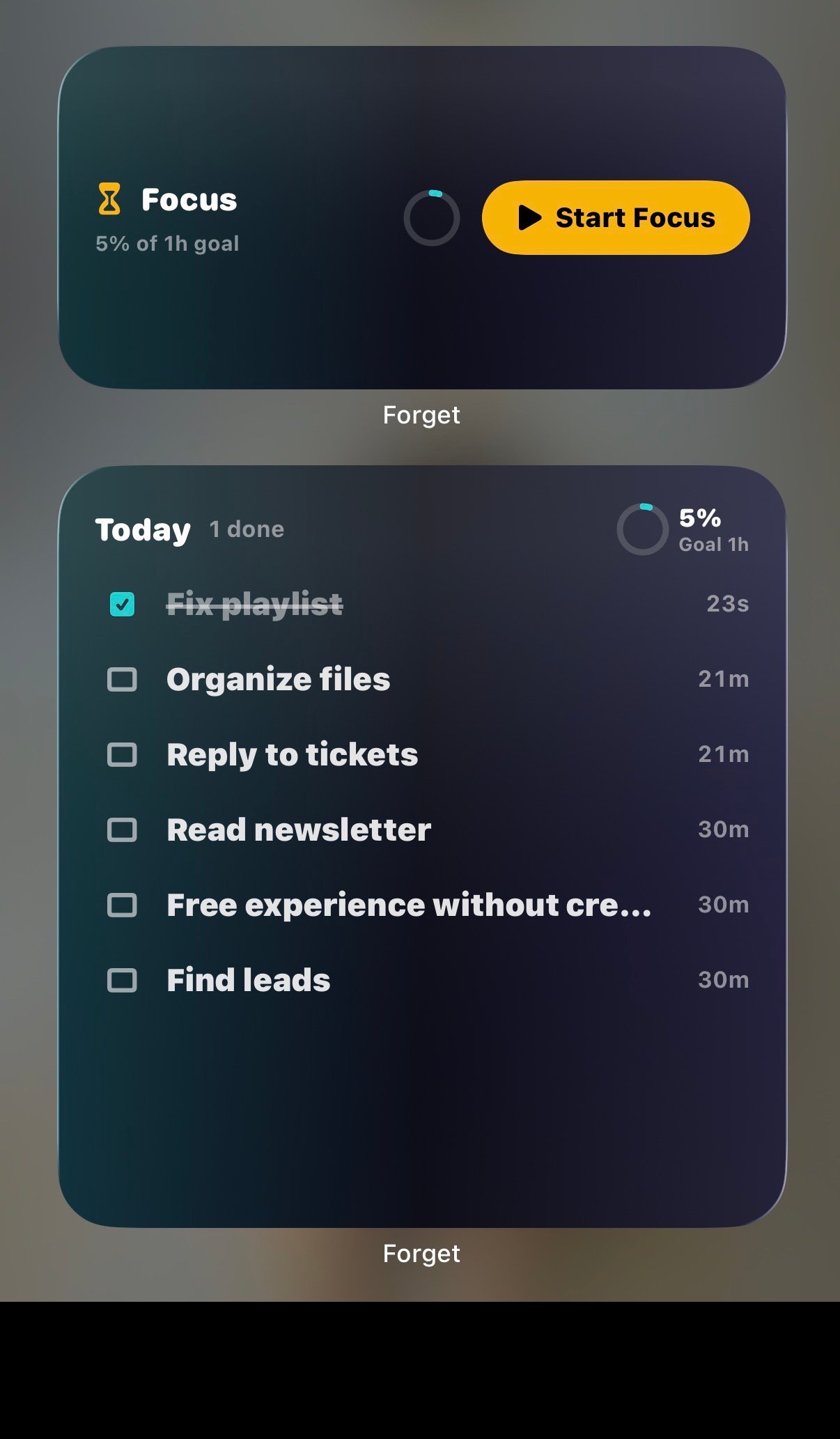
Forget ships two Home Screen widgets that put your day one glance (and
one tap) away.
## Today's Tasks
Your list at a glance: how many are done, your
[daily goal](/ios/daily-goal) ring, and your next tasks.
The checkboxes are real. **Tap one to complete the task right on the
Home Screen**, no app launch needed. Tap anywhere else to jump into
your list.
When your day is wrapped it says so, when everything's done it
celebrates, and if yesterday left tasks behind it shows what's still
open.
## Focus
A live view of your [focus session](/ios/focus-time): the running
timer, progress, and controls to complete or skip tasks.
## What is this?
The less you have to open the app, the more you actually use it.
Forget ships two Home Screen widgets that put your day one glance (and
one tap) away.
## Today's Tasks
Your list at a glance: how many are done, your
[daily goal](/ios/daily-goal) ring, and your next tasks.
The checkboxes are real. **Tap one to complete the task right on the
Home Screen**, no app launch needed. Tap anywhere else to jump into
your list.
When your day is wrapped it says so, when everything's done it
celebrates, and if yesterday left tasks behind it shows what's still
open.
## Focus
A live view of your [focus session](/ios/focus-time): the running
timer, progress, and controls to complete or skip tasks.
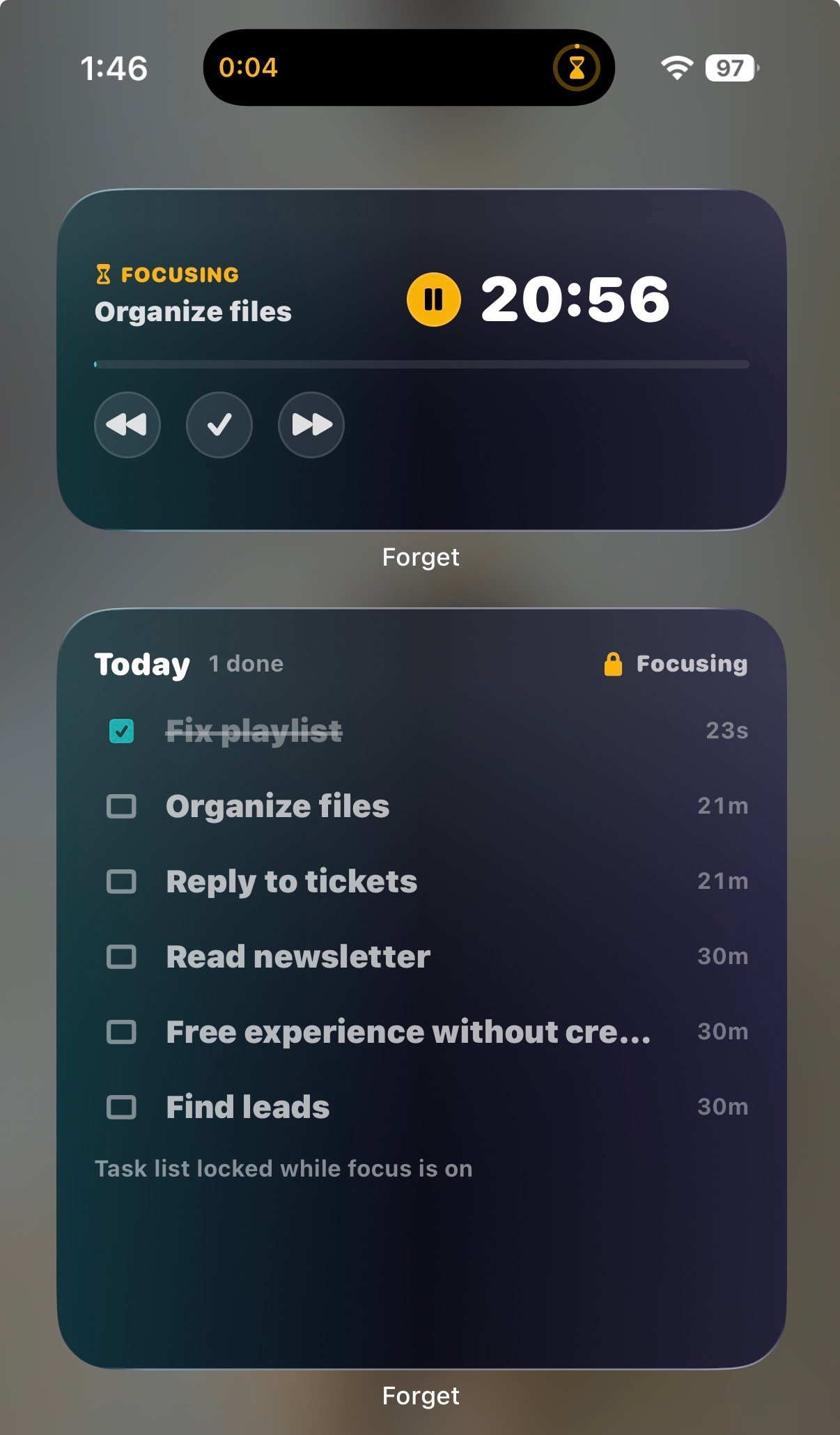 The timer itself is the pause button: tap it to pause, tap to resume.
Between sessions, it offers **Start Focus** so your next session is
one tap from the Home Screen.
## How to add them
Press and hold your Home Screen, tap **Edit**, then **Add Widget**,
and search for **Forget**.
Widgets need **Forget Pro** and a signed-in account.
This documentation is built and hosted on [Mintlify](https://mintlify.com), a developer documentation platform.
The timer itself is the pause button: tap it to pause, tap to resume.
Between sessions, it offers **Start Focus** so your next session is
one tap from the Home Screen.
## How to add them
Press and hold your Home Screen, tap **Edit**, then **Add Widget**,
and search for **Forget**.
Widgets need **Forget Pro** and a signed-in account.
This documentation is built and hosted on [Mintlify](https://mintlify.com), a developer documentation platform.