> ## Documentation Index
> Fetch the complete documentation index at: https://forgetwork.mintlify.site/llms.txt
> Use this file to discover all available pages before exploring further.
# 🌅 Wrap Day
> Reflect today and plan for tomorrow
 ## What is this?
Ending the day on purpose beats letting it fizzle out.
Wrap Day closes today with a summary, then hands you a clean start for
tomorrow.
## How does it work?
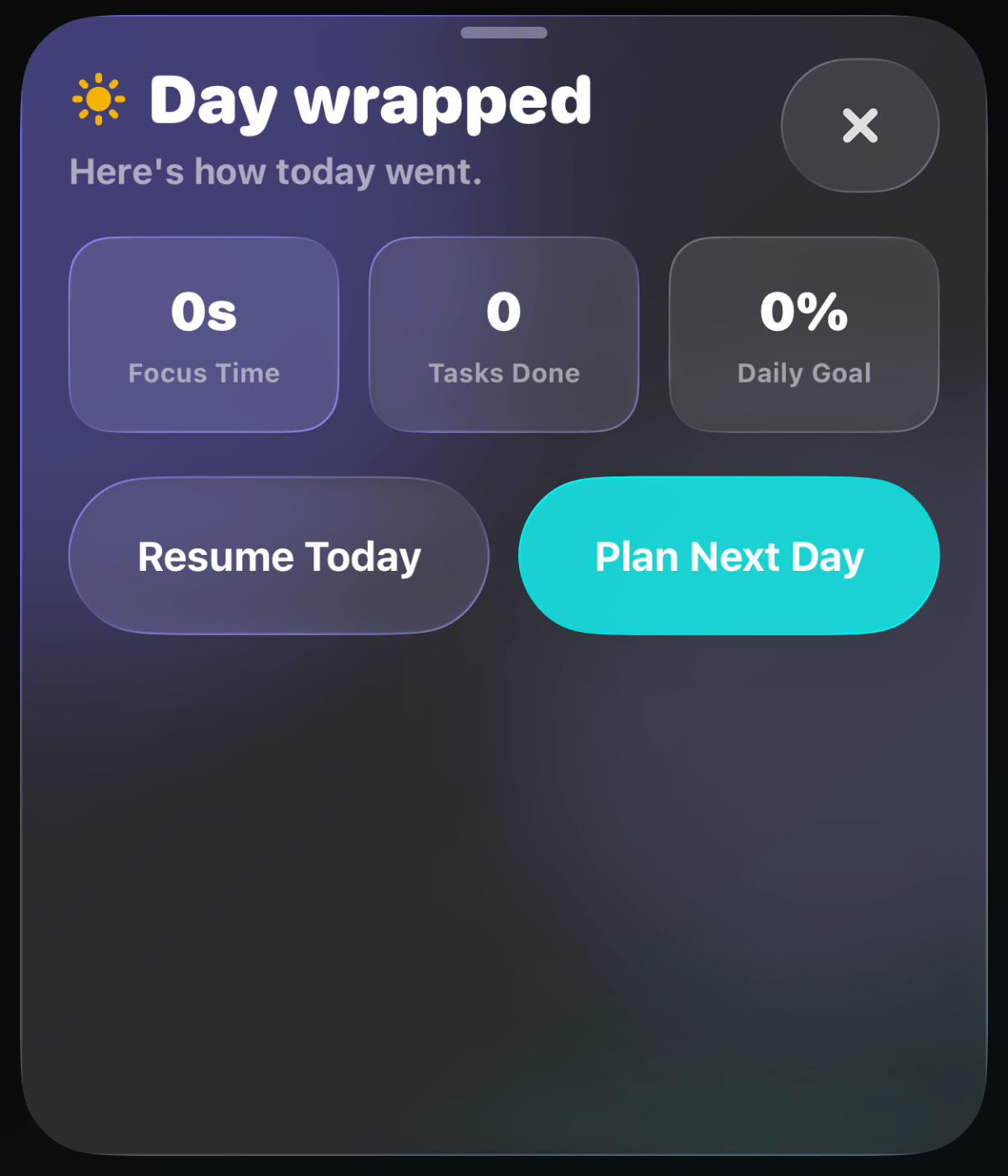
Tap the **sun** button above your list. You'll see three numbers for
the day: **Focus Time**, **Tasks Done**, and your
[Daily Goal](/ios/daily-goal) progress.
From there you can:
* **Resume Today** if you're not actually done
* **Plan Next Day** to set tomorrow up while today is fresh
## Planning tomorrow
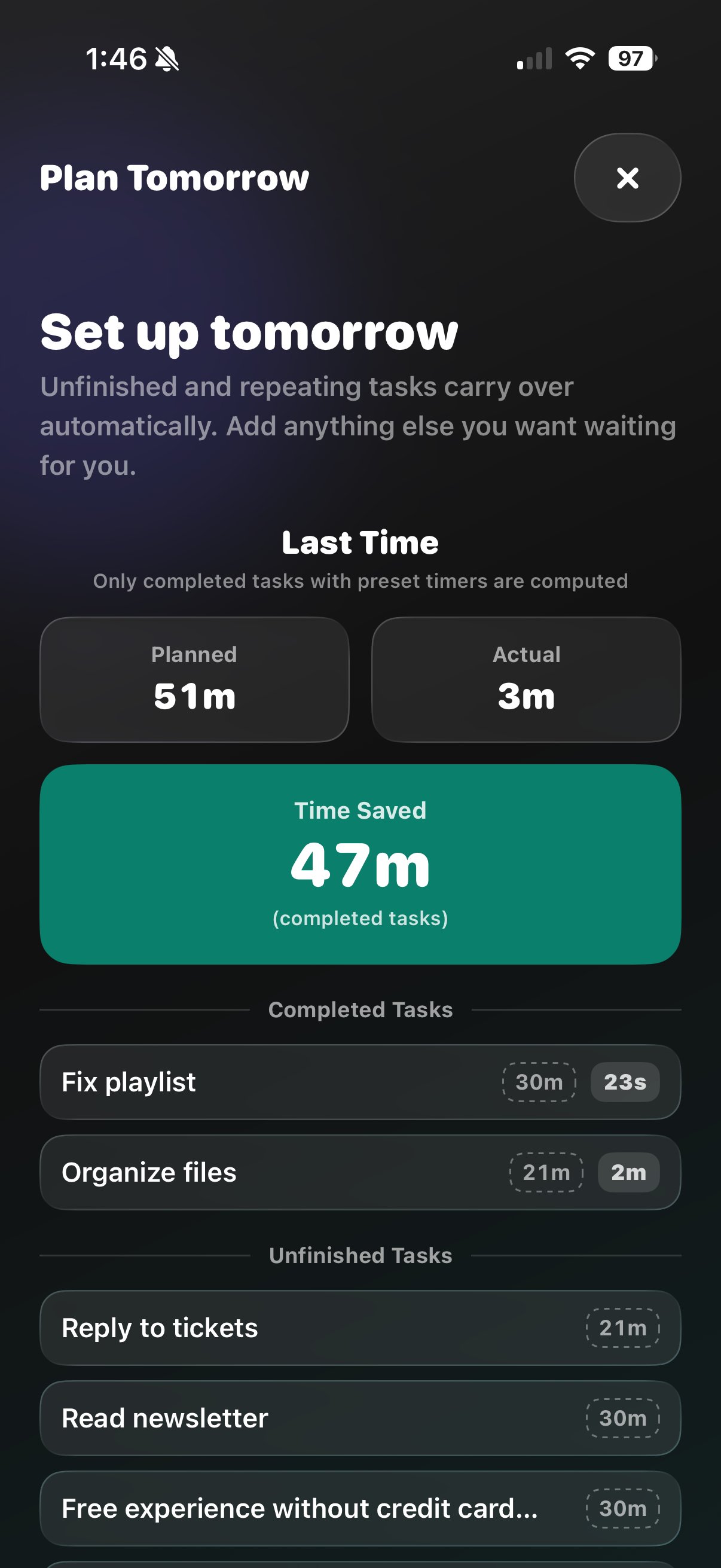
Add tasks for tomorrow and review what's **Carrying over**: unfinished
tasks and your repeating ones come along automatically. The
[Last Time](/ios/last-time) recap sits right there so you can plan
with real numbers.
## What is this?
Ending the day on purpose beats letting it fizzle out.
Wrap Day closes today with a summary, then hands you a clean start for
tomorrow.
## How does it work?
Tap the **sun** button above your list. You'll see three numbers for
the day: **Focus Time**, **Tasks Done**, and your
[Daily Goal](/ios/daily-goal) progress.
From there you can:
* **Resume Today** if you're not actually done
* **Plan Next Day** to set tomorrow up while today is fresh
## Planning tomorrow
Add tasks for tomorrow and review what's **Carrying over**: unfinished
tasks and your repeating ones come along automatically. The
[Last Time](/ios/last-time) recap sits right there so you can plan
with real numbers.
 The next morning, Forget greets you with **Start New Day**, and Plan
Mode (the compass button) keeps yesterday's recap one tap away.
Wrapping your day needs **Forget Pro**.
This documentation is built and hosted on [Mintlify](https://mintlify.com), a developer documentation platform.
The next morning, Forget greets you with **Start New Day**, and Plan
Mode (the compass button) keeps yesterday's recap one tap away.
Wrapping your day needs **Forget Pro**.
This documentation is built and hosted on [Mintlify](https://mintlify.com), a developer documentation platform.