

What is this?
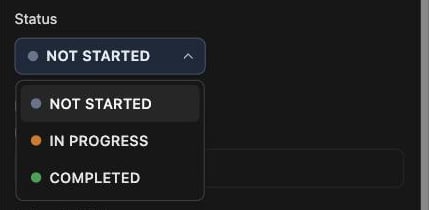
Every task is in one of three states: Not Started, In Progress, or Completed, each with its own color dot. It’s a quick answer to the question your brain keeps asking: “wait, where was I with this?”How does it work?
Open a task’s Details drawer and pick a status from the dropdown. Most of the time you won’t need to touch it, because forget.work keeps it updated for you:- Start focusing on a task and it flips to In Progress
- Complete a task and it becomes Completed
- A task with subtasks rolls up from them. When they’re all done, the parent is done too
Completed tasks are locked. Redo the task from the
List to change its status again.