

What is this?
ADHD brains never stop. The next thing to do shows up while you’re mid-task, and if you don’t catch it, it’s gone. Quick Add lets you capture it in seconds, without losing your place.How does it work?
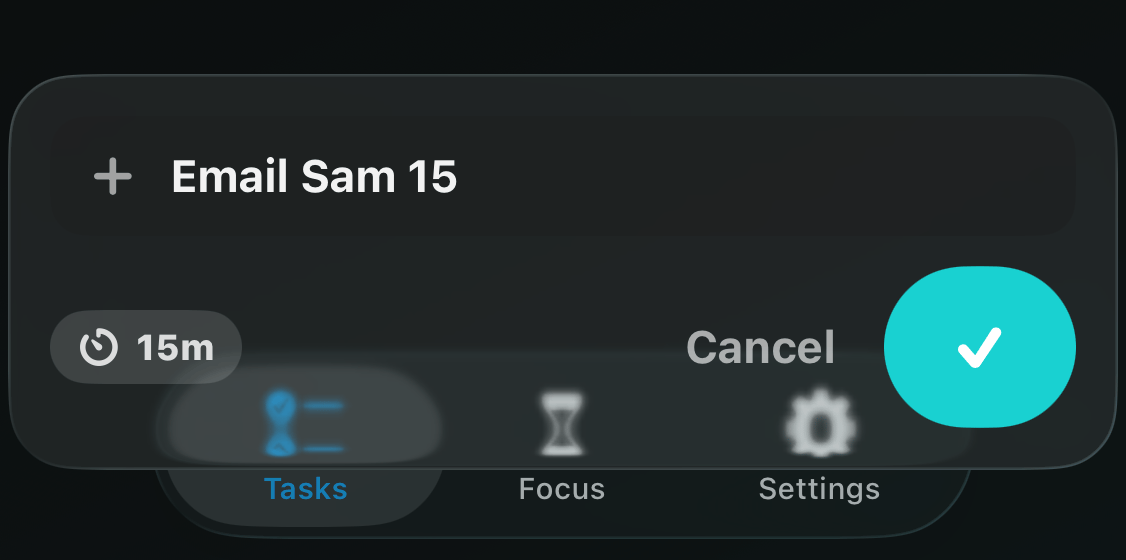
Tap the + button at the top of your list. A small composer floats up above the keyboard, right over your tasks. Type the task name and tap the checkmark. Done.Set a timer as you type
End the task name with a number and it becomes the timer, in minutes. Type “Email Sam 15” and you get an Email Sam task with a 15-minute timer. You’ll see the timer chip appear live while you type.Skip the number and the task gets your Default Task Duration
from Settings instead.